Network Threat Intelligence Page
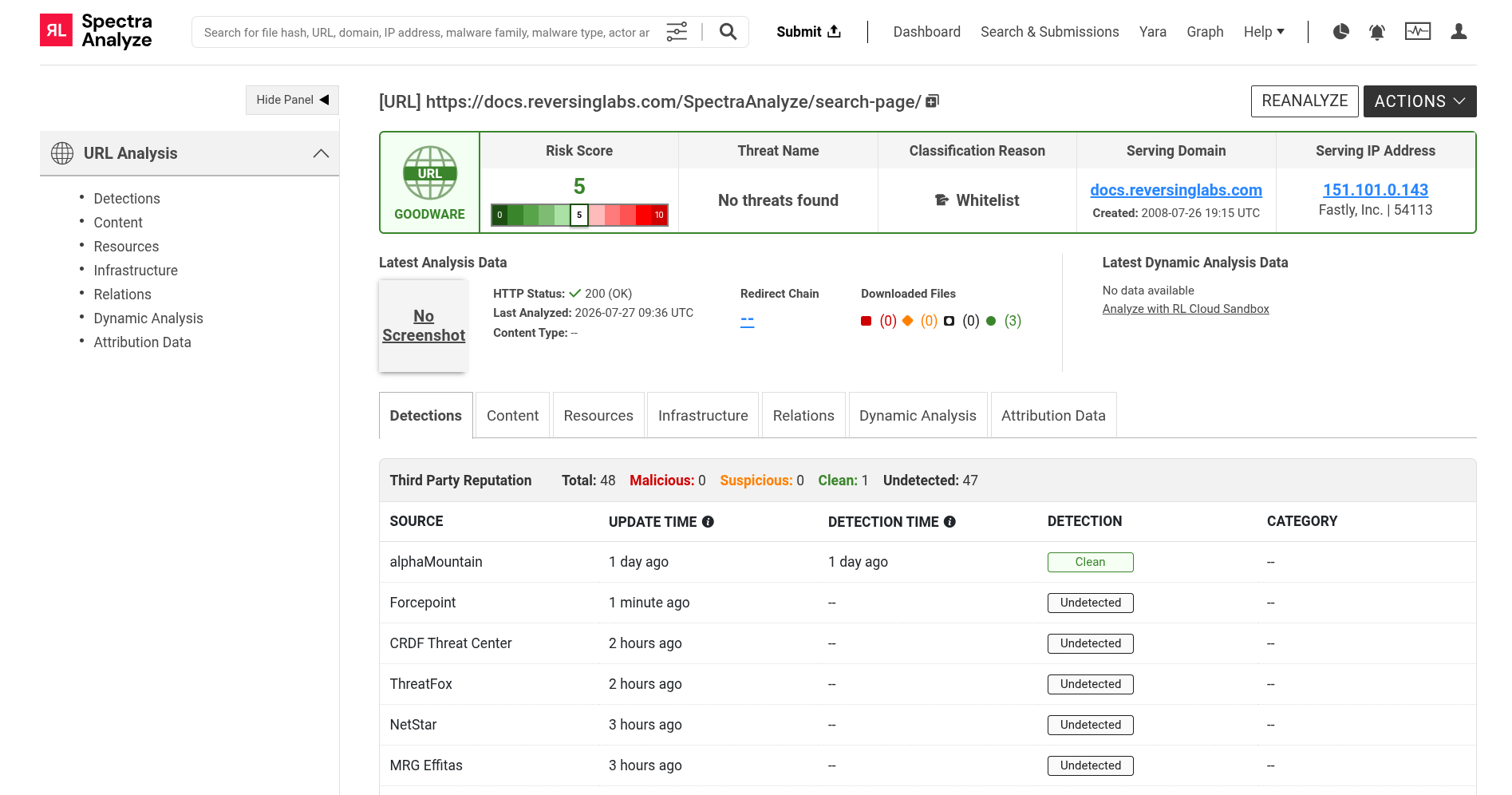
The Network Threat Intelligence sample details pages are reserved for URLs, IP addresses and domains. They can be accessed by clicking any submission in the Network tab on the Search & Submissions Page, by clicking the Network Threat Intelligence link in the Sample Summary header of samples that correlate to some network resource, or by clicking the Network Threat Intelligence link that is displayed in the search box if the search query contains a single URI.
The Network Threat Intelligence data comes from the following ReversingLabs APIs: Network Threat Intelligence, Domain Threat Intelligence, and IP Threat Intelligence.
The report summary section is an overview of all information available for a specific network resource, with additional information accessible using the sidebar menu.
If Spectra Intelligence is unreachable, misconfigured, or not configured, the Network Threat Intelligence page displays a corresponding error message indicating the issue. Ensure your Spectra Intelligence account is properly configured to access network threat intelligence data. For more information, see Spectra Intelligence configuration.
The Network Threat Intelligence sidebar menu section contains the following items:
-
Detections
Shows the final classification (Malicious, Suspicious, Clean, Undetected), source, update time, detection time, detection and category.
-
Content
Displays the document object model (DOM), links and URL screenshots of the selected analysis.
-
Resources
Lists all files extracted or downloaded during analysis (up to 50 for URL analyses) with their metadata (URL/Resource, File SHA 256, AV Detections, Threat, Format, Size) and classification (Malicious, Suspicious, Unknown, Goodware).
-
Infrastructure
Shows network-level details, serving IP and domain information, certificates and passive DNS records.
-
Relations
Visualizes connections between the sample and related entities, including root payloads, files that reference the URL, files communicating with the URL, and related URLs sharing the same domain or IP.
-
Dynamic Analysis
Contains results from the dynamic analysis of the sample in an RL Cloud Sandbox environment, dynamic analysis summary and signatures.
-
Attribution Data
Provides threat intelligence about the malware family and threat actors associated with the sample. For more details, see Attribution Data.